
Features
Remote phone setup (SIMO Assistant), powerful battery, large screen, comfortable size, voice dialing
Display
2.8" (240*320)
SIM type and quantity
Dual SIM (mini SIM)
Network
GSM 850/900/1800/1900 MHz
Battery
Li-Ion, 1600 mA*h (removable)
Phone book
500 contacts
Organizer
alarm clock, calculator, calendar, audio player, video player, voice recorder, world time, Bluetooth
View all specifications
Out of production

Comfort 50 Elegance³. Dedicated to excellence

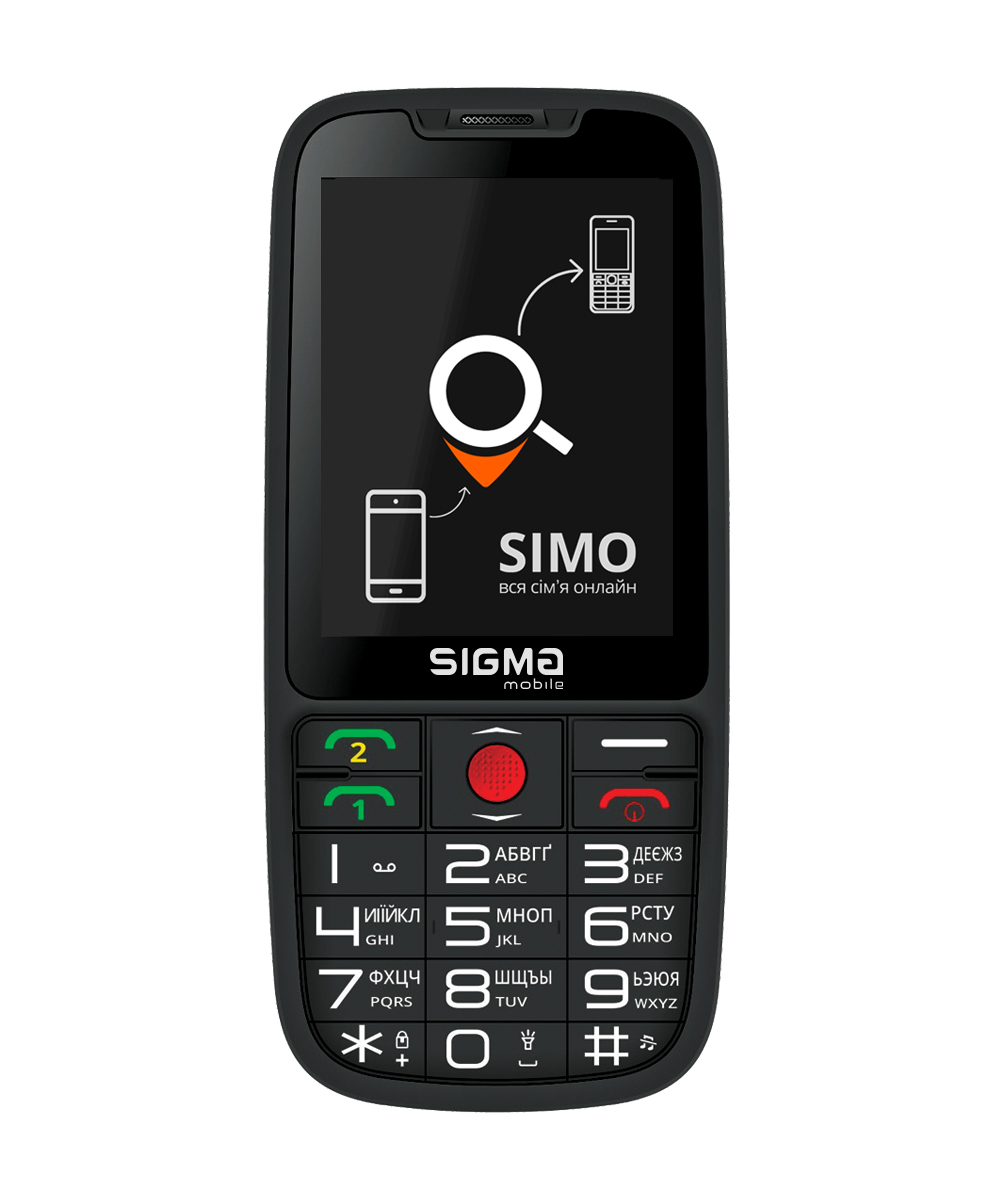
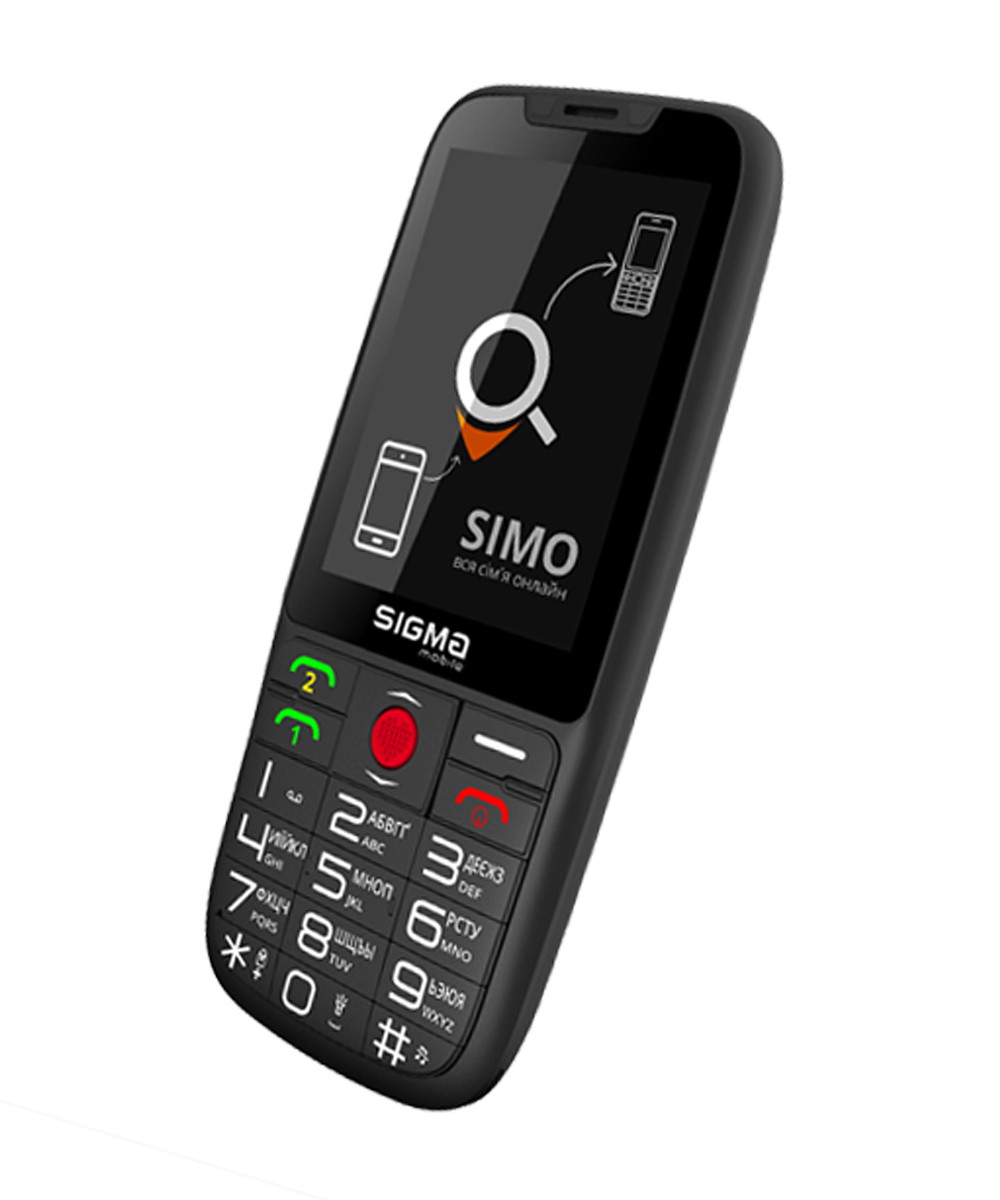
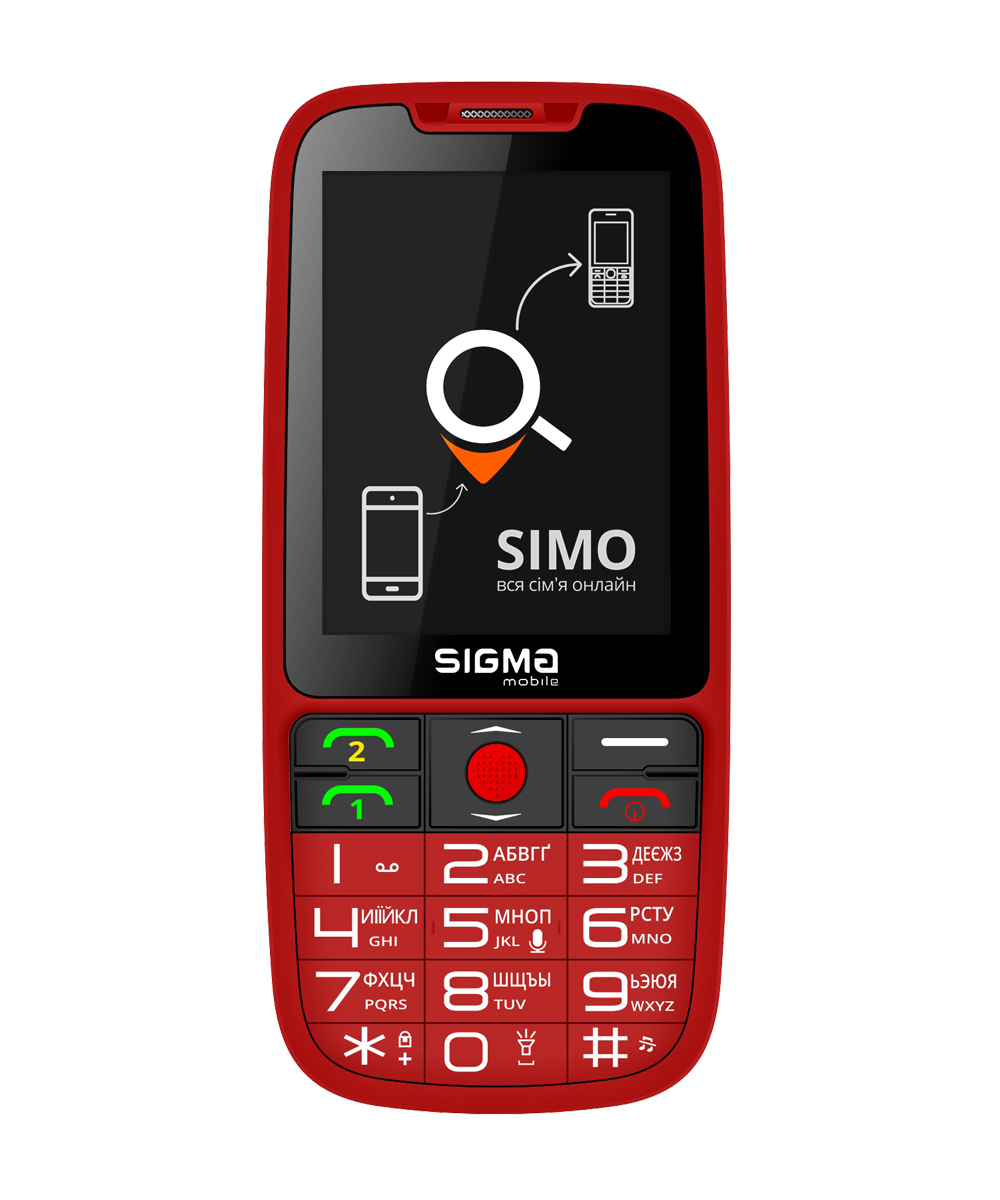
Simplicity, comfort, elegance, convenience is everything about Sigma mobile Comfort 50 Elegance³ dual SIM phone. 

The model stands out a large 2.8-inch display, two call buttons separately for each SIM card, the presence of the Ukrainian alphabet on the dial keys, and as well as a capacitive battery of 1600 mAh. 

The body of the phone is made of soft-touch plastic, which creates a pleasant tactile feel. You can be sure that the phone will not slip out of your hands. 

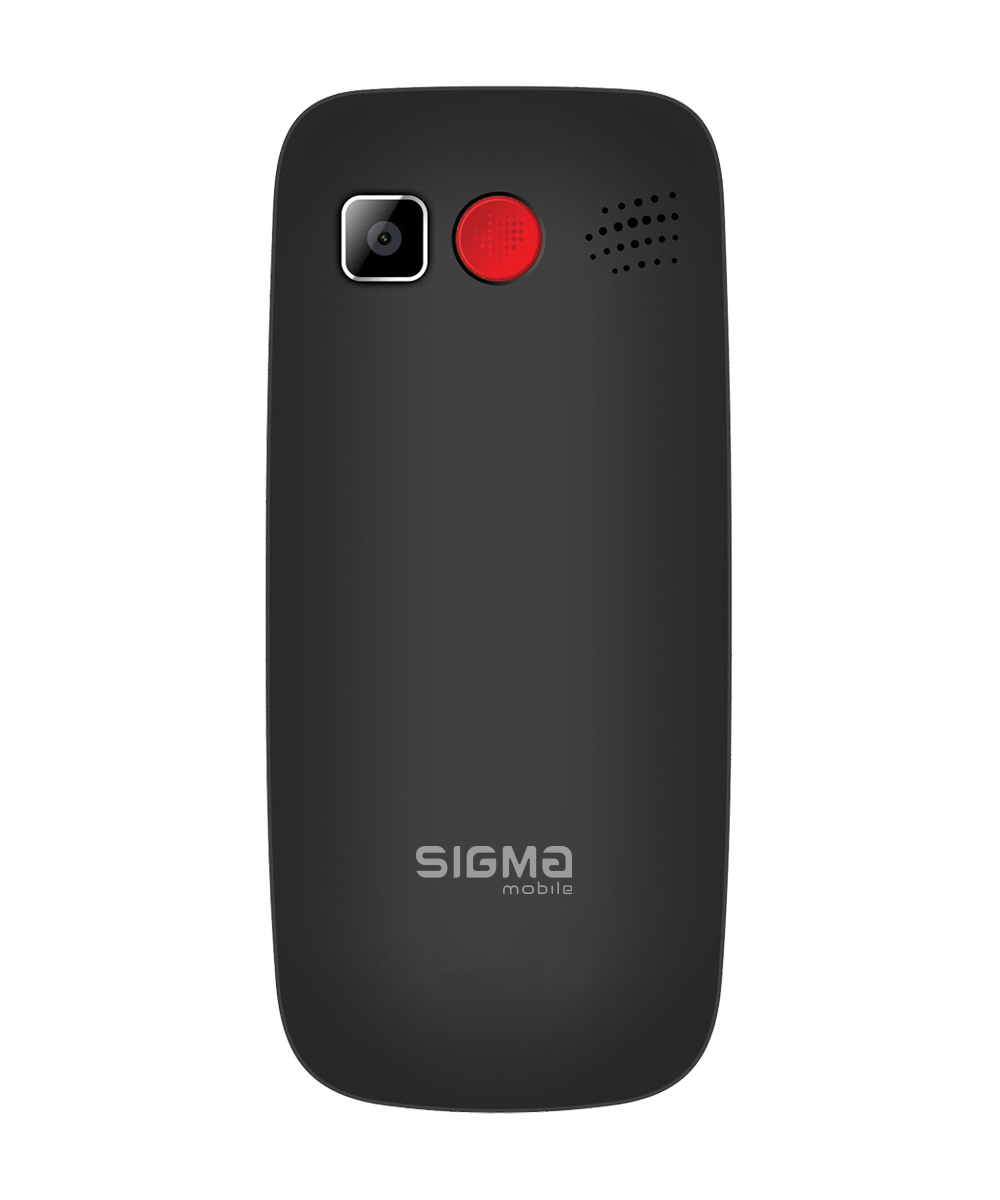
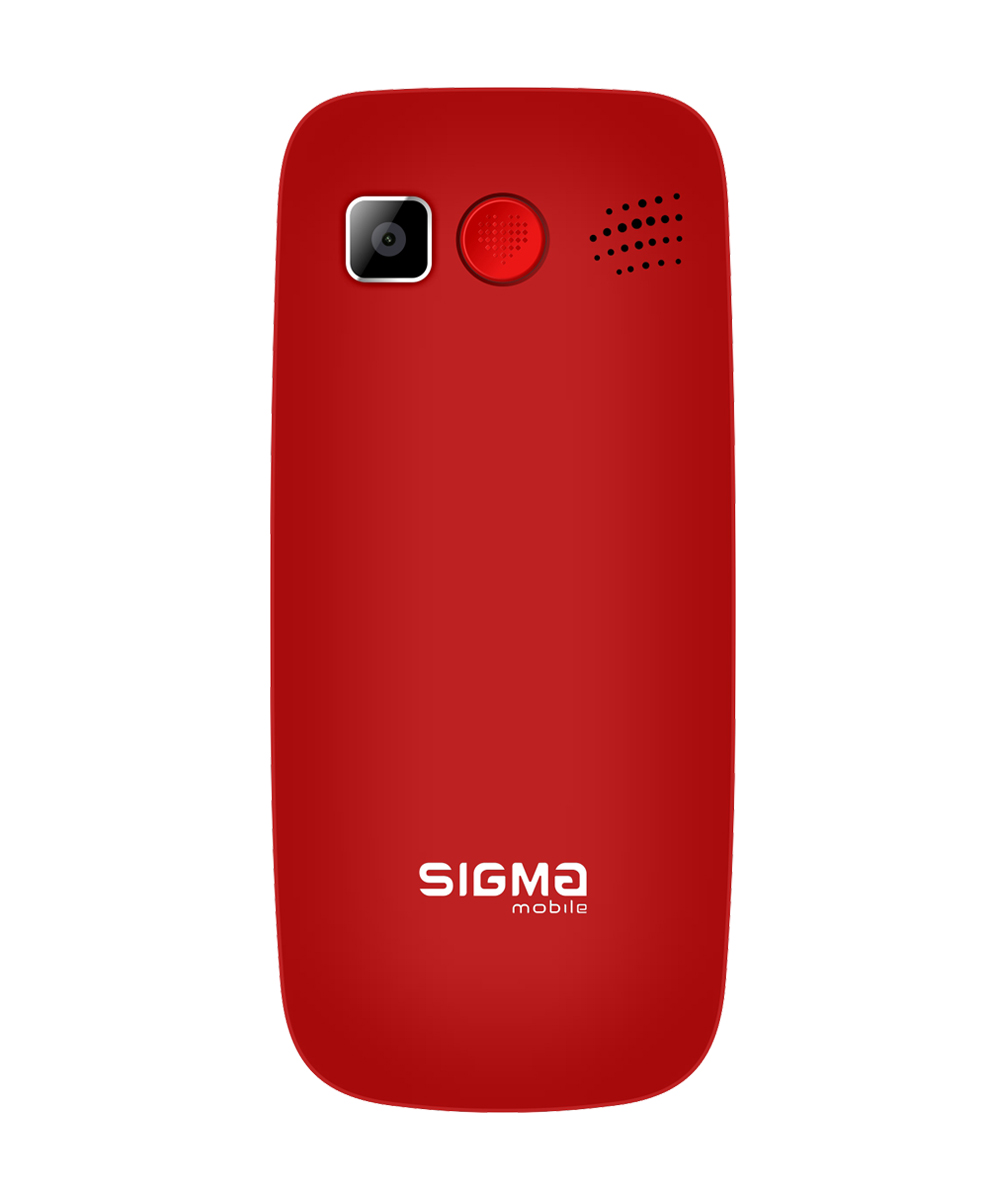
Traditionally, Comfort 50 Elegance³ has all features of other Comfort 50 range of phones – the presence on the back of SOS alarm button, which is programmed for 5 numbers, large dialing keys with clear contrasting font and booster light, voice acting of dialing number, which is especially important for elderly people and people with impaired hearing and vision. 

Comfort 50 Elegance³ is equipped with LED flashlight that performs the flash function in a 0.3 MP camera; organizer with functions of alarm clock, calculator, calendar, audio and video players, voice recorder; multimedia opportunities of the phone are represented by the presence of FM radio, which may be listened to without headsets, thanks to a built-in antenna. A wired headset is included in the supplied set.

A removable 1600 mAh battery allows your phone to stay in standby mode for nearly 12 days or up to 20 hours of continuous conversation mode. 

Comfort 50 Elegance³ may confidently be called not only an excellent assistant in everyday life, but as well as an attractive attribute of your image!

SIMO Assistant Mobile Application

A new firmware has been developed that supports SIMO Assistant application and can work in conjunction with SIMO Assistant application for Android and IOS. You can update the firmware in the Sigma mobile service center. For more details, please, call to Sigma mobile call center. Install the application for Android or iOS.

SIMO Assistant will help you set the date and time, add an entry to the phone book to parents or a child. It will help to set up reminders for taking medications, check the location, and even chat in voice chat from your smartphone. Create a group of family or friends – your loved ones will always be supervised. Get busy, relax and be sure that someone will always be there and will help.

Features of SIMO Assistant:

● Location
The ability to see on a map in real time where the connected phone is located 
The ability to view the movement track (route recording) of the entire connection activity time
Configuring “control zones” – receive alerts when your loved ones leave your home, school, playground or medical facility.

● Reminders
Remote installation of one-time, repeating, text and voice reminders.

● Remote setup
The ability to change the date or time, add contacts to the phone book, set up a list of SOS * numbers, set a white list **, help find a phone, set up a schedule for turning it on and off

● Battery charge
The battery level of the phone will always be on the application screen

● Voice chat
Is it inconvenient for your father to type SMS? Just press and hold the “5” button on the main screen to record and send you a voice message.

How it works?
● Currently, SIMO Assistant works with the Sigma mobile Comfort 50 Elegance 3 phone.
● download SIMO Assistant to your smartphone, register in the system
● Create a group and Connect the push-button telephone to the group using IMEI1 ***
● Enter SIMO Assistant application on the push-button telephone.

Important: 

SIMO Assistant may be installed and used openly, subject to conscious consent.
SIMO Assistant is installed openly by placing the application shortcut on the phone’s desktop.
Make sure that the family member who will use the Sigma mobile connected to SIMO Assistant is informed that:
● The location of the phone will be regularly uploaded to the server and will be available to group members in SIMO application.
● Location information and other information will not be downloaded or transmitted if the owner of the push-button telephone exits SIMO on his phone
● Location information and other information will not be downloaded or transmitted until the phone is tied to SIMO Assistant
● Group members can only view the location information of a specific device in SIMO Assistant, and cannot get the latitude and longitude for distribution.

Note:

SIMO Assistant server does NOT store outdated information at a location for more than 1 month, and after disconnecting the device, the server will delete the following information: the entire history of locations and settings of the observation boundaries; voice reminders, white list of the phone, remotely added contact entries and the like. All the above data will be deleted permanently. The settings of the push-button telephone will NOT change.

GPS data can be encrypted, transmitted, stored and destroyed in accordance with the GDPR policy.
Chat messages are stored temporarily by the server, only to successful delivery to the addressee, and are deleted immediately after delivery.

Permissions:

1. Camera for scanning QR codes and a photo for an avatar – without this permission, these operations are impossible;
2. Record: to record voice messages and voice memos. Recording is not possible without this permission;
3. Location: required to display the location on a Google map in the application. If the device is offline, the location of the current user will be displayed on the map.
4.Reading contacts: allows you to invite contacts from the address book to a group in the application (Note. You can invite friends and relatives to join the group manually, rather than granting permissions.)

Comfort 50 Elegance³ SIMO Edition: Прагнення до досконалості

Простота, комфорт, елегантність, зручність – усе це про телефон із підтримкою двох SIM-карток від Sigma mobile, Comfort 50 Elegance³. І справді, усі ці характеристики йому чудово пасують, адже модель має багато рис, що вирізняються її з-поміж інших. Але спершу розповімо про основне.

Comfort 50 Elegance³ має 2,8-дюймовий дисплей, окрему кнопку виклику для кожної SIM-картки, українську абетку на клавіатурі, а також знімний акумулятор ємністю 1600 мА*г, який дозволить вам користуватися пристроєм близько 12 днів у режимі очікування або до 20 годин у режимі безперервних розмов. Корпус телефона виготовлений із пластика з покриттям soft-touch, що створює приємне тактильне відчуття та впевненість у тому, що він не буде вислизати з рук.

Традиційно цей пристрій має весь набір функцій, властивих іншим телефонам серії Comfort 50: кнопка SOS, яку можна запрограмувати на 5 номерів, на задній панелі, великі набірні клавіші з чітким контрастним шрифтом і підсвічуванням та озвучування номера під час набору, що особливо важливо для людей похилого віку та людей з ослабленим слухом і зором.

Comfort 50 Elegance³ оснащений світлодіодним ліхтариком та органайзером із функціями будильника, калькулятора й календаря. Мультимедійні можливості телефона представлені камерою з роздільною здатністю матриці 0,3 МП, аудіо- та відеоплеєрами, диктофоном і FM-радіо, прослуховування якого можливе й без навушників завдяки вбудованій антені. Дротова гарнітура теж є в комплекті постачання.

Comfort 50 Elegance³ з упевненістю можна назвати не просто доладним помічником у повсякденному житті, але й привабливим атрибутом вашого іміджу - а ми ще навіть не дісталися найцікавішого!

Мобільний додаток SIMO Assistant

Нещодавно було розроблено нову прошивку для Comfort 50 Elegance³, яка підтримує додаток SIMO Assistant і може працювати у взаємодії з таким самим додатком для Android та iOS. SIMO Assistant допоможе встановити дату й час, додати запис у телефонну книгу, налаштувати нагадування (наприклад про прийом ліків), перевірити геоположення користувача Comfort 50 Elegance³ й навіть поспілкуватися в голосовому чаті з дитиною чи батьками, яким ви купили цей кнопковий телефон. Створюйте групу сім’ї чи друзів – і ваші близькі завжди будуть під наглядом. Щоб подарувати рідним упевненість у тому, що хтось зможе прийти на допомогу в будь-яку хвилину, вам лише треба оновити прошивку * їхнього Comfort 50 Elegance³ у фірмовому сервісному центрі Sigma mobile (вартість можна довідатися в оператора колл-центру) та завантажити безкоштовний застосунок на свій смартфон.

Можливості SIMO Assistant:

  • Геоположення

Можливість бачити на мапі в реальному часі, де перебуває користувач підключеного телефона.

Можливість переглянути трек пересувань (запис маршруту) за весь час активного з’єднання.

Конфігурація “зон контролю”: отримуйте сповіщення у випадках, коли ваші близькі залишать будинок, школу, дитячий майданчик чи медзаклад.

(Визначення місця знаходження виконується по даним вашого оператора зв’язку (так званий стільниковий LBS). Висока точність визначення не гарантується).

  • Нагадування

Дистанційна установка одноразових і повторюваних, текстових і голосових нагадувань.

  • Дистанційне налаштування

Можливість змінити дату або час, додати контакти в телефонну книгу, налаштувати список SOS* номерів, створити “білий список”**, допомогти знайти телефон, налаштувати розклад увімкнення та вимкнення.

  • Заряд батареї

Ви зможете перевірити заряд батареї телефона, а коли заряд стане 20% або нижче, додаток надсилатиме сповіщення про потребу в підзарядці.

  • Голосовий чат

Вашому батькові незручно набирати SMS? Досить натиснути й утримувати кнопку 5 на клавіатурі для запису та надсилання голосового повідомлення

Як це працює?

  • на цей момент SIMO Assistant працює лише з телефоном Sigma mobile Comfort 50 Elegance³;
  • завантаживши SIMO Assistant на свій смартфон, зареєструйтеся в системі;
  • створіть групу та підключіть до неї кнопковий телефон за допомогою IMEI1***;
  • зайдіть у додаток SIMO Assistant на кнопковому телефоні.

Важливо:

SIMO Assistant дозволено встановлювати й застосовувати ТІЛЬКИ за умови свідомої згоди.

SIMO Assistant слід встановлювати відкрито, тобто з розміщенням ярлика програми на робочому столі телефона.

Переконайтеся, що член сім’ї, який буде використовувати підключений до SIMO Assistant мобільний телефон від Sigma mobile, проінформований про те, що:

  • його геоположення буде регулярно завантажуватися на сервер і буде доступне учасникам групи в додатку SIMO Assistant;
  • інформація про геоположення та інша інформація не буде завантажуватися до тих пір, поки кнопковий телефон не прив’яжуть до SIMO Assistant, а також якщо власник пристрою вийде з програми SIMO
  • члени групи можуть отримувати інформацію про геоположення телефона в SIMO Assistant, але не дізнаються точну широту й довготу цієї точки на мапі для поширення

Примітка:

Сервер SIMO Assistant НЕ зберігає застарілу інформацію про геоположення довше за 1 місяць. Після від’єднання пристрою сервер видаляє таку інформацію як історія геоположень, налаштування кордонів спостереження, голосові нагадування, “білий список”, дистанційно додані контакти тощо. Усі вищевказані дані будуть видалені без можливості відновлення. Однак налаштування кнопкового телефона НЕ зміняться.

Дані GPS можуть бути зашифровані, збережені, передані чи знищені відповідно до політики GDPR. Повідомлення в чаті зберігаються на сервері тільки тимчасово, а точніше до успішного пересилання адресатові - потім вони одразу видаляються.

Дозволи:

  1. “Камера” для сканування QR-кодів та обрання фото на аватар.
  2. “Запис” для запису голосових повідомлень і нагадувань.
  3. “Геопозиціонування” для відображення геоположення на мапі Google у додатку. Якщо пристрій не в мережі, на мапі буде відображене геоположення поточного користувача.
  4. “Читання контактів” для запрошення контактів із адресної книги до групи в додатку. (Ви можете запросити друзів і родичів приєднатися до групи вручну, не надаючи дозвіл.)

* Це стосується лише телефонів із датою виробництва до 2020-го року. Телефони, вироблені в 2020-му році, вже мають прошивку, оптимізовану для використання SIMO Assistant.

Network band
GSM 850 900 1800 1900 MHz
SIM type and quantity
Dual SIM (mini SIM)
Display
2.8" (240*320)
Interface languages
• Ukrainian
• English
• Russian
Processor
MTK6261D
External memory
microSD (up to 32 GB)
Bluetooth
+
Phonebook
500 contacts;
1 field per 1 contact;
20 characters in the contact name
Speed dial
8 numbers
SOS button for emergency calls
programmed for 5 numbers
Organizer
• Alarm clock
• Calculator
• Calendar
• World time
Multimedia features
• Camera
• FM radio with built-in antenna
• Audio player
• Video player
• Voice recorder
• E-Book
Security and spam protection
• Phone lock
• PIN request
• Blacklist
• White list
Messaging
SMS
Flashlight
+ (activated by "0" button on the keyboard)
Additional features
• Keyboard backlight
• Auto call recording
• Automatic key lock
• Remote adjustment
• Large font size
• Export / import contacts
• Voice acting: dialing
• Ability to set a ringtone from a file
Battery
Li-Ion, 1600 mA*h (removable)
Running time:
- talk-time mode up to 20 hours
- standby time mode up to 12 days
Headphone Jack
3,5 mm
Connector for charger
microUSB
Dimensions
131*60*13 mm
Weight
109 g
Housing color
• black
• red
Housing materials
soft-touch plastic
Form-factor
bar phone (demountable)
In the box
• Mobile phone Comfort 50 Elegance³
• Battery
• USB power adapter
• USB cable
• Wired headset
• User manual (UA/EN),
• Warranty card
Warranty
12 months
Notice
Sigma mobile reserves the right to change the divice technical specifications and configuration without notice.
User manual (UA)
0.86MB
User manual (EN)
0.54MB
Conformity certificate (UA)
0.63MB
User manual SiMO (in Ukrainian)
0.87MB
User manual SiMO (in English)
0.7MB
Інструкція з налаштування мобільного додатку SIMO Assistant
0.75MB

Sigma mobile company guarantees a high quality and faultless functioning of their devices upon conditions of careful usage and considerations of exploitation rules.

After the expiration of device’s service term, we advise you to contact the Authorized Service Center for preventive maintenance and receiving recommendations for the further exploitation of device. In order to prevent possible misunderstandings, it is preferable to keep the documents that are attached to the device upon its sale (sale receipt or cashier’s receipt, instruction of exploitation, warranty card) during the service term. A warranty card establishes warranty liable for device to the extent, provided by the Law of Ukraine On protection of consumer’s rights.

Warranty conditions

  • A warranty provides free repair or replacement of the device during the warranty term. Warranty service is only provided in the presence of a valid warranty card and fiscal check.
  • The renewal of software is a technical maintenance of the product and is not considered as repair and thereforeis not a valid reason for a replacement or a refund;
  • The Periodic service of device (replacement of batteries, cleaning, etc.) is carried out by request for an additional fee.
  • The warranty term for main devices and accessories is set by Sigma mobile with reference to from the date of device’s sale (look at Table 1).
  • Service term is established by Sigma mobile company 2 or 3 years (look at Table 1).
  • Warranty service is provided exclusively at  Authorized Service Centers in Ukraine. The sheet of service centers may be changed


Device

Warranty terms

Service term

Mobile phones series X-treme Main deviceEighteen months

Three years

Mobile phonesMain deviceTwelve months
TabletsMain deviceTwelve months
Action camerasMain deviceTwelve months
Bluetooth headsetsMain deviceTwelve months
Accessories and batteriesRechargeable batteries (including built-in types)Six months

Two years

Memory cards, cables, headsets and other accessories and parts, which don’t requare to disassemble the mobile device in order to replace.

One month

Table 1

The manufacturer shall not bear warranty obligation regarding the device in the following cases:

  • Violations of rules and conditions of exploitation, adjustment, installation of device, described in the User’s Manual and other documentation, which is transported to the consumer in the complete set with the device;
  • If mechanical damages have occured after the transfer of the device to the consumer;
  • The ingression of inappropriate items, liquids, insects, etc. inside the device during usage;
  • Device’s operation in conditions of excessively high or low temperature, surrounded by high humidity, high dust content;
  • Making schematic-technical, design or software changes, not approved by the manufacturer;
  • Repair or modification of device, performed by unauthorized persons;
  • If the damage is caused by the use of non-standard and/or non-qualified expandable materials, charging devices, spare parts, batteries, electronic media, software products that were not supplied or recommended by the manufacturer;
  • If the damage (defects) is caused by the action of computer viruses or similar programs;
  • If the damage (defects) is caused by non-compliance with standards or technical regulations of the power, cable, telecommunication networks, radio signal power, including features of the relief and other similar external factors, usage of the device on the edge or outside of a network action zone, connection to inappropriate or defective external devices;
  • If the defect occurred due to natural wearing down during the exploitation of the device. In this case, natural wearing down is understood as the consequences of product’s operation, which caused the deterioration of technical status and appearance due to long-term using of this device;
  • If the damage of LCD pixels of screens does not exceed 0.0005 percent of the total quantity of pixels on the screen (according to the ISO 9241-303)
  • The occurrence of force majeure (natural phenomena, fire, lightning, etc.).


The manufacturer shall not carry warranty obligation:

Under no circumstances are the manufacturer or its authorized organizations for unusual, incidental, direct or indirect damage (or losses), including, but not limited to, lost profits, loss or inability to use information or data, expenses of recovering information or data, damages caused by interruptions in commercial, manufacturing or other activity, arising in connection with the usage or inability to use a device.

We use cookies to improve website performance, analysis, and personalization of websites. By using the site or by clicking I agree you agree to our Privacy Policy

I accept
×